App manual
Premium, Billing and Cancelling
The practice itself is free. There is a premium tier on top of it, and this page covers what it adds and, more usefully, how to leave it.
What premium adds
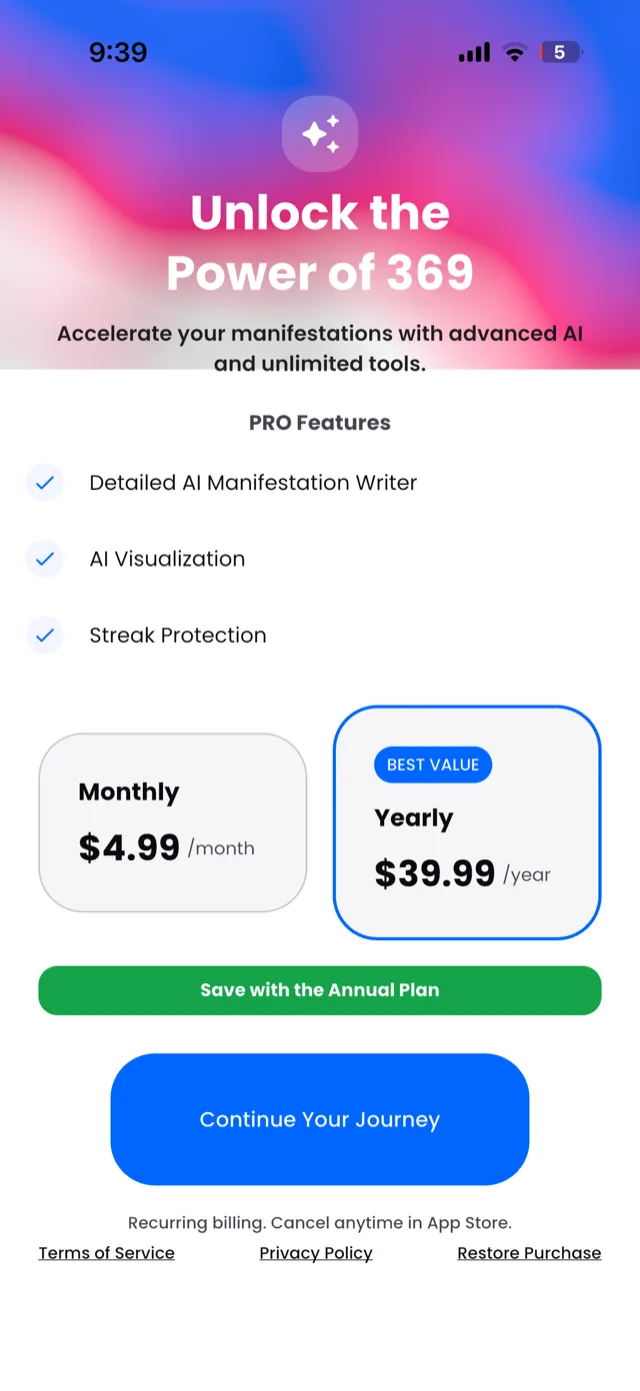
The upgrade screen. The yearly plan is preselected as “best value”; tap the monthly card to switch.
The PRO tier lists three things:
- Detailed AI Manifestation Writer, which helps you draft and refine an intention rather than starting from a blank field
- AI Visualization
- Streak Protection
Two prices, both billed through the App Store:
| Plan | Price |
|---|---|
| Monthly | $4.99 / month |
| Yearly | $39.99 / year |
The yearly plan works out at about $3.33 a month, and it is the one the screen preselects. If you want monthly, tap the monthly card first: the green button always applies to the annual plan.
Everything central to the method works without paying. Writing your intention, all three daily sessions, reminders, streaks and your history are part of the free app. If the premium features are not doing anything for you, the free tier is a complete version of the practice rather than a trial of it.
How to cancel
Your subscription is held by Apple, not by us. We cannot cancel it for you, we cannot see it, and emailing us will only cost you the time it takes us to reply with these steps. Deleting the app does not cancel it either.
On iPhone:
- Open the Settings app.
- Tap your name at the top.
- Tap Subscriptions.
- Tap 369.
- Tap Cancel Subscription and confirm.
You keep premium access until the end of the period you have already paid for, and it will not renew after that. Your intention, streak and history are unaffected: they are stored on your device and belong to the free app as much as the paid one.
If 369 is not in that list, the subscription is either already cancelled or was bought through a different Apple ID than the one you are signed into.
Refunds
Refunds are also Apple’s, not ours. Request one at reportaproblem.apple.com, signed in with the Apple ID that made the purchase. We have no ability to approve or refuse it, and no way to speed it up.
Restoring a purchase
If you have reinstalled the app or moved to a new device, use the restore option on the upgrade screen. It checks your Apple account for an active subscription and re-enables premium.
Worth knowing: restoring a purchase does not restore your practice. Your intention, streak and history live on the device rather than in an account, so a new phone starts empty even when the subscription comes back. Your Data, and How to Delete It explains why.
Cancel first, then delete
If you are leaving altogether, the order matters:
- Cancel the subscription through Apple, using the steps above.
- Then delete the app.
Doing it the other way round leaves a subscription renewing for an app that is no longer on your phone, and the first you tend to hear about it is the receipt.