App manual
Getting Started: Your First Session in the 369 App
This is the starting point of the app manual. If you have just installed 369 and want to get through your first day without guessing, read this page first and follow the links at the bottom for anything more specific.
There is no sign-up
The app does not ask you to create an account, and there is no login screen anywhere in it. You open it and start. Everything you write is stored on your own device rather than on our servers, which is why there is nothing to sign into and nothing to recover on a new phone. If that matters to you, Your Data, and How to Delete It explains exactly what is kept and where.
Writing your first intention
After the short introduction, the app asks a single question: What do you want to manifest? Take longer over this than feels necessary. The sentence you write here is the one you will return to for the next twenty-one days, so it is worth getting into a shape you can actually believe.
The app shows a tip under the field, and it is the right advice: write in the present tense, and phrase it as gratitude for something that has already happened. “I am grateful that I handle difficult conversations calmly” works better than “I will stop avoiding difficult conversations.”
You are not locked in. If the sentence turns out to be wrong, you can change it, within limits designed to stop you rewriting it every time you lose confidence. Changing Your Intention covers how that works.
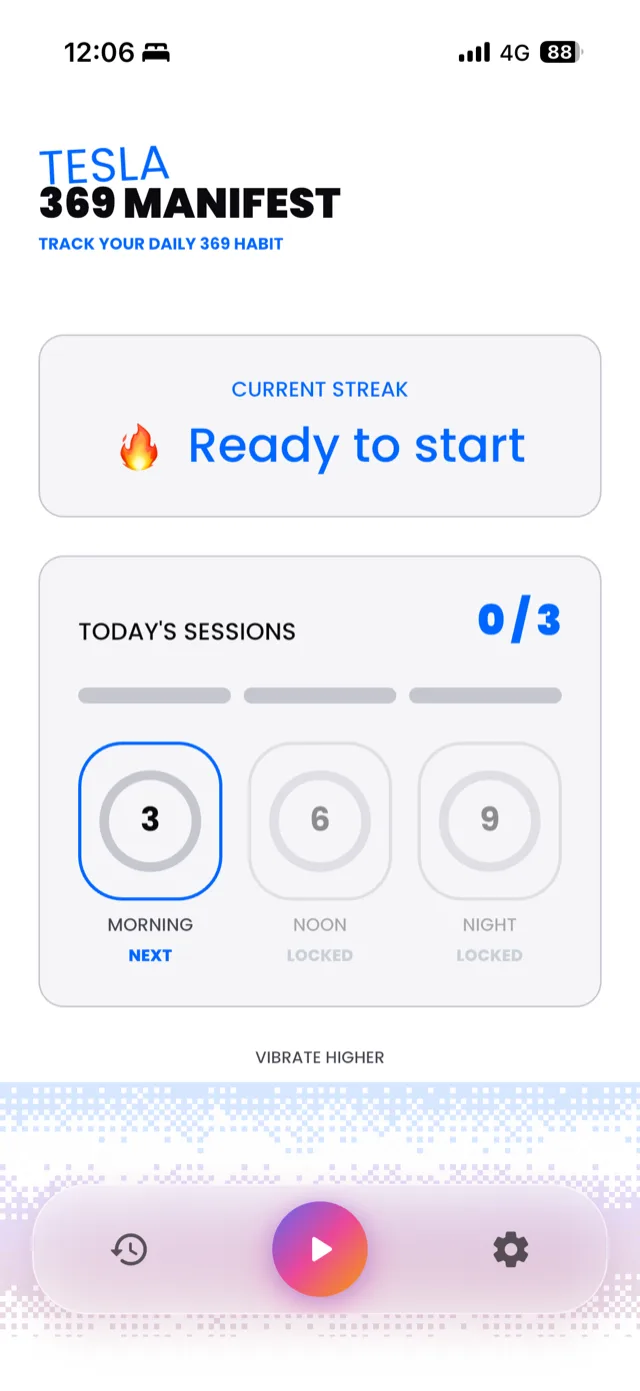
The home screen. Three slots for the day, the morning one open and the other two waiting.
The rhythm of a day
Once your intention is saved, the day splits into three sessions:
- Morning, three repetitions, at 7:00 AM by default
- Afternoon, six repetitions, at 12:00 PM by default
- Night, nine repetitions, at 9:00 PM by default
Each session opens for a limited window rather than staying available all day. That is deliberate, and it is the part people most often misread as a bug. The Three Daily Sessions explains the window and what happens if you miss one.
Where the settings are
Almost everything you might want to adjust sits on one screen, labelled CONTROL at the top with the subtitle SYSTEM SETTINGS / RESONANCE & NOTIFICATIONS. You reach it from the navigation bar at the bottom of the app. Inside you will find your three reminder times, haptic feedback, voiceover tones, high contrast mode, and your streak freeze tokens.
If you only remember one thing about that screen, make it this: the small refresh icon next to VOICEOVER TONES is what fixes most audio problems.